How to Use Wingo Signals – Complete Beginner Guide (Hindi)

WingoBot Team
· 6 min read
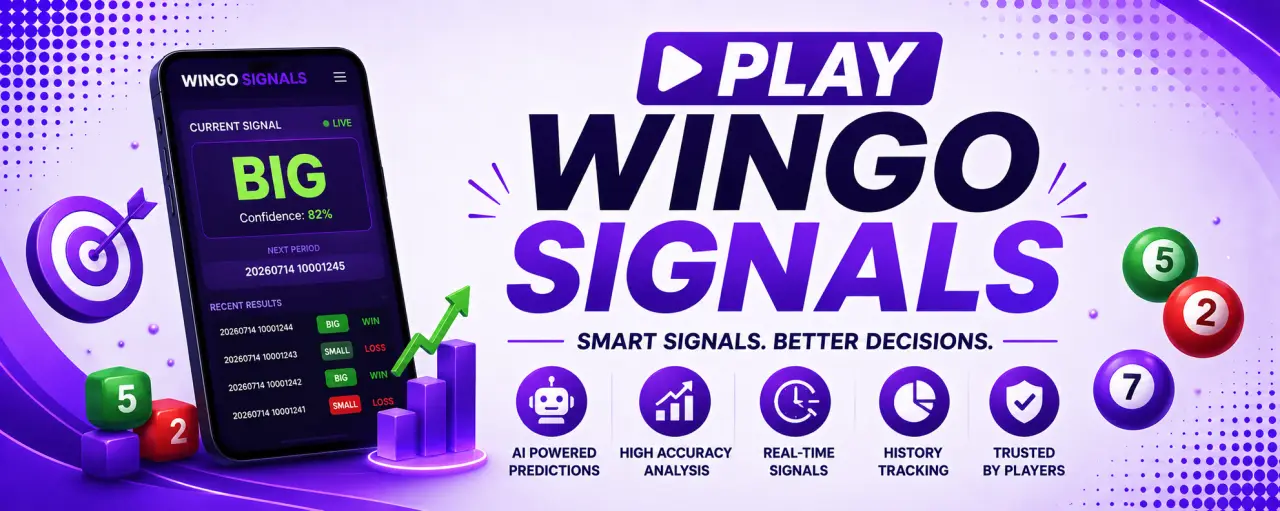
Agar aap Wingo signals use karna start karna chahte hain ya alag-alag prediction pages ko samajhna chahte hain, to ye complete guide aapke liye hai. Bahut se beginners ko ye confusion hota hai ki kaunsa prediction page open karein, Smart AI Predictions aur Wingo AI Bot me kya difference hai, ya 1 Minute aur 30 Second prediction page kab use karna chahiye. Is article me hum sab kuch easy Hinglish me step by step samjhenge.
Sabse pehle aap Smart AI Predictions page open karein. Ye WingoBot ka main prediction hub hai jahan se aap AI-powered BIG/SMALL prediction, confidence score, recent WIN/LOSS history aur baaki prediction tools tak easily pahunch sakte hain.
WingoBot Prediction Pages Kya Hain?
WingoBot ek hi prediction page nahi deta. Is platform par alag-alag game modes aur analysis ke liye dedicated pages available hain. Har page ka apna purpose hai, isliye sahi page choose karna important hota hai.
Example ke liye agar aap standard 1-minute game khel rahe hain to aapko 1 Minute Prediction page use karna chahiye. Agar aap fast room me 30-second game play karte hain to 30 Second Prediction page better rahega. Agar aap AI explanation aur live signal ko detail me samajhna chahte hain to Wingo AI Bot useful option hai. Smart AI Predictions page in sab tools ko ek jagah connect karta hai.
Sabse Pehle Kaunsa Page Open Karein?
Agar aap beginner hain, to directly Smart AI Predictions page se start karein. Ye page specially naye users ko dhyan me rakhkar design kiya gaya hai. Yahan current BIG ya SMALL signal, confidence indicator aur latest settled prediction history ek hi screen par mil jati hai.
Isi page se aap easily dusre prediction tools par bhi ja sakte hain. Isliye baar-baar Google search karne ki zarurat nahi padti.
Available Prediction Pages
| Prediction Page | Best Use |
|---|---|
| Smart AI Predictions | AI signal, confidence aur WIN/LOSS history check karne ke liye. |
| Wingo AI Bot | Live AI explanation aur signal understanding ke liye. |
| 30 Second Prediction | Fast 30-second game rounds ke liye. |
| 1 Minute Prediction | Standard 60-second game analysis ke liye. |
Har prediction page ka interface simple rakha gaya hai taaki mobile aur desktop dono par easily use kiya ja sake. Agar aap frequently game switch karte hain to Smart AI Predictions page bookmark karna achha idea hai.
Wingo Signals Kaise Use Karein?
Step 1 – Sign In Karein
Prediction request karne se pehle account me sign in karein. Login hone ke baad aapka daily prediction counter account ke saath link ho jata hai. Isse aap apna usage track kar sakte hain aur same account ko multiple devices par bhi use kar sakte hain.
Step 2 – Active Period Check Karein
Prediction dekhne se pehle active period number zaroor verify karein. Har signal sirf usi period ke liye hota hai jo screen par show ho raha hota hai. Agar period change ho gaya hai to purana signal use nahi karna chahiye.
Ye beginner users ki sabse common mistake hoti hai ki woh previous period ke signal ko current game ke saath compare kar dete hain.
Step 3 – Predict Button Use Karein
Ab Predict button par click karein. Kuch hi seconds me AI current period ke liye BIG ya SMALL estimate show karega. Saath hi confidence indicator bhi dikhai dega jo model ki current analysis strength ko represent karta hai.
Pro Tip: Prediction dekhte hi game start mat karein. Pehle period number aur confidence dono verify karein.
Step 4 – Confidence Score Samjhein
Confidence score ka matlab guaranteed result nahi hota. Ye sirf batata hai ki available historical data aur current pattern ke basis par AI kis direction ko relatively stronger maan raha hai. Isliye confidence ko ek supporting indicator ki tarah use karein.
Agar confidence comparatively low ho to next period ka wait karna bhi ek practical approach ho sakta hai. Smart AI Predictions page bhi users ko confidence ko carefully interpret karne ki advice deta hai.
Prediction History Kyu Dekhni Chahiye?
Prediction history se aap recent settled periods dekh sakte hain. Har row me prediction, actual result aur final WIN ya LOSS status show hota hai. Isse aapko ye samajhne me help milti hai ki previous signals ka outcome kya raha.
History automatically update hoti rehti hai aur pending prediction result publish hone ke baad WIN ya LOSS me convert ho jata hai. Isliye prediction request karne ke baad history section ko bhi regularly check karna useful hota hai.
Agar Aur Detail Chahiye To?
Agar aap sirf BIG ya SMALL signal dekhna nahi chahte aur AI analysis ko aur detail me samajhna chahte hain, to Wingo AI Bot bhi explore kar sakte hain. Ye current period, recent trend aur confidence ke baare me easy language me explanation deta hai. Isi tarah fast rounds ke liye dedicated 30 Second Prediction page bhi available hai.
Best Practices Follow Karna Kyu Zaroori Hai?
Bahut se users sirf prediction dekhte hi jaldi decision le lete hain, lekin smart approach ye hai ki signal ke saath poori information ko bhi dekha jaye. Prediction page par sirf BIG ya SMALL hi important nahi hota, balki current period, confidence indicator aur recent prediction history bhi equally useful hoti hai. Jab aap in sab cheezon ko ek saath dekhte hain, tab platform ko samajhna aur bhi easy ho jata hai.
Har naye period se pehle page refresh karna bhi achhi habit hai. Isse aap latest available information dekh paate hain aur kisi purane period ki details accidentally use nahi karte. Agar aap regular user hain, to Smart AI Predictions page ko bookmark kar lena convenient rahega, kyunki yahi se aap dusre prediction tools tak bhi pahunch sakte hain.
Common Mistakes Jo Beginners Karte Hain
New users aksar kuch basic mistakes kar dete hain jinki wajah se unhe lagta hai ki unhone galat page use kar liya. Sabse common mistake hoti hai wrong game mode ke liye prediction dekhna. Agar aap 30-second game khel rahe hain aur 1-minute signal follow kar rahe hain, to naturally confusion create hoga.
- Purane period ka signal use karna.
- Confidence score ko guaranteed result samajhna.
- Prediction history check na karna.
- Galat game mode ka prediction page open karna.
- Page refresh kiye bina latest signal expect karna.
- Ek hi signal ko baar-baar compare karna.
In simple mistakes ko avoid karke aap platform ko zyada smoothly use kar sakte hain aur har prediction page ka purpose bhi clearly samajh sakte hain.
Kaunsa Prediction Page Kab Use Karein?
Agar aapko sirf current AI signal dekhna hai to Smart AI Predictions sabse best choice hai. Agar aap fast game rounds play karte hain to 30 Second Prediction page dekhna better rahega. Aur agar AI signal ko easy language me samajhna chahte hain, to Wingo AI Bot explore kar sakte hain.
| Aapki Need | Recommended Page |
|---|---|
| Latest AI Signal | Smart AI Predictions |
| Fast Game Analysis | 30 Second Prediction |
| AI Explanation | Wingo AI Bot |
| Platform Information | About Wingo Signals |
Free Users Ke Liye Tips
Agar aap free user hain, to har prediction request ko carefully use karein. Predict button press karne se pehle active period verify karna aur confidence indicator dekhna ek achhi habit hai. Isse unnecessary prediction requests kam hoti hain aur available daily usage ka better use ho pata hai.
Prediction history ko regularly dekhne se aapko platform ka interface aur working samajhne me bhi help milti hai. Dheere-dheere aapko har page ka purpose clear ho jayega aur navigation bhi fast ho jayegi.
Quick Tip: Agar aap regularly WingoBot use karte hain, to homepage aur Smart AI Predictions page dono ko browser bookmark me save kar sakte hain. Isse future me prediction tools open karna sirf ek click ka kaam rahega.
WingoBot Ko Explore Karna Aur Bhi Easy Hai
WingoBot ka interface simple aur beginner-friendly hai. Homepage se aap different prediction tools, AI pages aur latest updates explore kar sakte hain. Agar aap platform ke baare me aur jaana chahte hain, to Home aur About page bhi visit kar sakte hain. Wahan platform ki basic information aur available tools ke baare me details milti hain.
Har page ko clean layout ke saath design kiya gaya hai taaki mobile aur desktop dono devices par browsing smooth rahe. Is wajah se naye users bhi bina kisi confusion ke alag-alag prediction pages explore kar sakte hain.
Final Thoughts
WingoBot ke prediction pages ka main purpose users ko ek organized aur easy-to-use experience dena hai. Agar aap sahi game mode ke hisaab se correct prediction page choose karte hain, current period verify karte hain aur recent history ko review karte hain, to platform ko samajhna kaafi easy ho jata hai.
Shuruaat karne ke liye Smart AI Predictions page best option hai. Yahan se aap AI-powered prediction tools explore kar sakte hain, recent prediction history dekh sakte hain aur zarurat ke hisaab se Wingo AI Bot ya 30 Second Prediction page par bhi ja sakte hain. Is tarah ek hi platform par aapko multiple prediction resources mil jate hain jo navigation ko simple aur user-friendly banate hain.